Sunday, March 28, 2010

The Backchannel: Unofficial Commentary on SXSW

Every SXSW panel features not one but two simultaneously occurring discussions. While one occurs out loud, with people in the room who can see one another and hear one another speak, the other occurs silently in that shadowy netherworld known as Twitter. While everyone appears to be listening attentively to panelists and speakers, many people behind the scenes are also Tweeting questions, commentary, and yes, snarky remarks, as the panel progresses.

This ongoing Twitter conversation has come to be known as the “backchannel” and all panelists deal with it in a combination of four ways:

1.) Prepare for it – All of the panels I attended were at least ready for the backchannel. They all had “official” hashtags (i.e. #theyelpeffect, #funemployed, etc.) so that people who Tweeted through the event could organize their thoughts and read the thoughts of others also Tweeting along in the room. But considering how brutal some Twitterers can be, I also suspect that creating a hashtag for your panel has become SXSW policy rather than the choice of the panelists themselves.

2.) Embrace it During the Presentation – To me, the most successful presenters assigned someone to follow the backchannel as the panel progressed. They then rolled with the flow and answered questions that came across, went back to address points that appeared to have been missed, and generally let the audience participate.

3.) Embrace it After the Fact – Other panels, especially the small ones with one or two presenters, might not have had the resources to monitor the backchannel as they talked, but did end up embracing it after the fact. Jennie Chin (@misohungry) of The Yelp Effect, for example, came back and commented on the back channel after the conversation ended.

4.) Ignore it – The least successful SXSW presenters ignored the backchannel forever and ever. I attended one panel that promised to be about viral marketing but mainly consisted of the marketing teams from two website aggregators promoting their own services. The backchannel quickly grew ugly, but the two presenters remained oblivious and continued with their obvious plugs. As a result, many people – me included – walked out and went to find a more agreeable panel.

How is the Backchannel Changing SXSW?

Imagine if you were sitting in school and instead of merely listening to the lecture, you were able to ask silent questions without interrupting the class or make snide remarks about the teacher’s pocket protector. That’s how the backchannel feels to me. It’s a way to turn a presentation given to you to a conversation with you. In other words, the backchannel epitomizes everything we’ve learned in class about social media. People are no longer content to sit back and have information spoon fed to them. For better or for worse, people want to participate.

The backchannel made SXSW panels participatory, democratic and fun for me. I felt, in many cases, like I was being heard instead of preached at. And what’s more Web 2.0 than that?

Yelp.com: Love it or Hate it?

Jennie Chen of the food blog MisoHungry and Austin American Statesman writer Addie Broyles moderated one of the liveliest panels I attended at SXSW. Whether you are a local restaurant owner or one of the tuned-in social media superstars who uses sites like Yelp and Chowhound to review restaurants, you would probably have had something to say at “The Yelp Effect: When Everyone’s a Restaurant Critic.”

Apparently this is an issue near and dear to many hearts, as the panel’s small room was packed to the gills with interested people. I was lucky to get a seat for the panel, which was structured as an open discussion or “core conversation,” rather than a top down speech. It was already getting social media-y in here!

The People Yelp

The biggest take away from the panel was the fact that restaurants can no longer get away with subpar service. If a Yelper (or someone who writes on CitySearch, Chowhound, UrbanSpoon or one of the many other everyone’s-a-critic-sites) has a bad experience at a restaurant, pretty soon everybody who’s tuned into social media will know. If enough Yelpers have a bad experience, that restaurant’s credibility will take a nosedive.

Restaurants Respond

On the restaurants’ side, people argued about the trustworthiness of reviews posted on sites like Yelp. The argument there seemed to be that maybe the public just doesn’t “get” some restaurants. Maybe it was because we were at a technology convention, but that argument never got off the ground. In my opinion, if the public doesn’t get you, maybe the problem is with… well, you.

Yelp.com Responds

Yelp.com itself answers a few of these complaints. First, the site uses an algorithm to police reviews that look suspicious. For example, if a spate of people suddenly create Yelp.com accounts and give 5 star reviews to one restaurant only to never log on again, the site recognizes a smoke blowing campaign and suppresses or even deletes the too-glowing reviews. The same goes for a user who is only negative all of the time. The site decides he’s probably just a crank. Further, business owners do have the chance to publicly comment on reviews and to contact reviewers who have had a bad experience.

The main idea of the panel seemed to be that, instead of trying to sue or similarly squelch sites like Yelp.com, that restaurant owners should get with the program and start seeing Yelp as a customer service platform and a mandate on how to improve.

This Blogger Responds

My one gripe about the panel was that we didn’t have time to talk about a couple of sensitive issues when it comes to Yelp.com. One is the assertion by many small business owners that Yelp allows people to pick on the small, local businesses than can least afford bad reviews in this economy. (To this, as a Yelper, I say “Offer a good product, and good reviews will follow.”) The other issue I wanted to touch on was the two class action lawsuits filed against Yelp alleging that they try to shake local businesses down for advertising, and if the businesses don’t comply, Yelp.com hides their positive reviews and otherwise damages their credibility on the site. Of course, there was only so much time, and both conversations would have strayed from the original purpose of the panel. So I suppose I should really be congratulating the moderators for keeping us on track!

Audience participation was interesting as well. One man said, “Call me old fashioned, but I don’t even allow comments on my restaurant criticism blog.”

I muttered, “You’re old fashioned,” prompting the people around me to nod or vocally agree. To me, that moment was one of many testaments to the increasing power of social media. As Blossom said in Content Nation, people are no longer content to listen to top down messages. They want a two-way dialogue instead. If you read a restaurant criticism blog that doesn’t allow comments, you might as well be reading a magazine. At least with a magazine you get that inky smell and the satisfaction of holding its weight in your hands.

Let’s face it. The world is changing. Restaurants and other local businesses can choose to roll with the times, shape up, and listen to customer critiques or they can continue to offer those old-fashioned comment cards and get left behind in Web 2.0’s sizeable wake.

No matter what, I’ll continue to Yelp. Care to friend me?

Saturday, March 27, 2010

Foursquare.com, the King of SXSW

From my seat, it appeared that the social application Foursquare took the crown at this year’s South by Southwest. (Okay, so there isn’t really a King of SXSW, but if there were…) And other location based applications like Gowalla and Loopt weren’t far behind.

What is Foursquare?

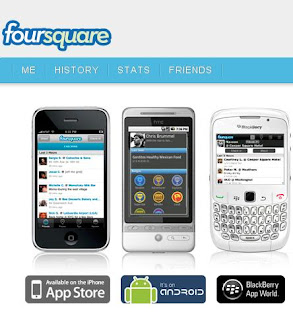
Foursquare is a location based social media application. If you’re a Foursquare player, whenever you go to a new venue – a restaurant, a store, the library, or even a church – you “check in” either via text or by a device specific app. (I have it on my iPhone.) The application uses your device’s GPS to “place” you at the venue. Foursquare allows you to see the first name and last initial of other people who are “checked in” at the same venue, and it shows you who is the “Mayor” of that venue. Mayors snag their title by having the most check-ins at that location. As more and more people visit the venue, Foursquare also proves the place’s popularity (at least to other geeks like me people who use Foursquare.)

Foursquare users sometimes even battle for mayorship. (As well they should – many venues have jumped on the Foursquare bandwagon and offer coupons, discounts and other specials to the mayor. I’ve seen everything from a free yogurt for the mayor to a free night at a hotel. Not bad for merely going someplace you would have gone anyway.) Even if you don’t manage to become a mayor, Foursquare also periodically gives you “badges.” You might get a badge like “Crunked” for hitting five joints in one night or “Superstar when you’ve checked in at 50 different venues in your Foursquare history. While badges aren’t redeemable for money or prestige, they are the psychological pellet that keeps many people checking in, and checking in, and checking in…

Foursquare at SXSW

Foursquare debuted at last year’s SXSW, and its popularity showed no signs of waning this year. Just to keep SXSW goers' interest, the application added 15 new badges that could only be earned at SXSW. Badges like Superswarm could only be earned when you checked in at venue where at least 250 other Foursquare players were also checked in. It’s a testament to Foursquare’s popularity that I earned that one on Day One when I was in the SXSW registration line waiting for my badge. (I also earned “Decathlon” for attending 10 sponsored parties, and “Panel Nerd” for hitting five panels. I missed out on the fun ones like the badge that could be earned for taking a ride in Austin’s famous Karaoke RV.)

So What’s the Point?

Many people don’t see the point in playing location based games like Foursquare. Foursquare even spawned the website and application Please Rob Me, which is designed to demonstrate that Foursquare is very public and an invitation to burglars to rob you while your Foursquare stream shows you out of the house.

This is a valid complaint and highlights the fact that you shouldn’t “friend” people you don’t know on Foursquare or add your Foursquare updates to a very public forum like Twitter or Facebook where less-than-good-intentioned acquaintances might hang out.

In my opinion, the point of Foursquare is the same as Twitter, Facebook, and other social media. Which is, duh, being social. You won’t forget the first time you check into Foursquare, see another person checked in, and then share that secret little Foursquare nod. Sure it hasn’t happened to me yet, but I can see striking up a conversation with someone based on our mutual degree of Foursquare checked-in-ness. Plus, it’s a way for me to show my love for my favorite venues.

On the downside, yep, I suppose I could be robbed (though people routinely leave their houses for other things – like work), and I suppose a stalker would have a field day on Foursquare. That’s why it makes sense to only “friend” people you trust and definitely think of your privacy when posting your Foursquare whereabouts on very public forums.

As for Foursquare at SXSW, I’ve been left with a gaggle of new Foursquare friends in other cities and a handful of new badges to display with pride on my Foursquare page. A major accomplishment it ain’t, but fun? It’s at least about as fun than the original four square, and even the non-athletic can do it.

Managing Your Money, Social Media Style

One of the best panels I attended at SXSW was called “Banking 2.0: Financial Services Driven by People and Emerging Technologies.” And no, as dry as that sounds, I’m not getting paid to say that I really, really benefitted from this panel. While the panel probably could have used a more engaging title in order to draw more curious conference goers into the room, the panelists had plenty of useful information to keep those who did wander in informed and entertained.

The Panelists

Moderator: Jennifer Openshaw

Rob Garcia of LendingClub.com

Kenneth Lin of CreditKarma.com

Aaron Forth of Mint.com

Bob Weinschenk of SmartyPig.com

The Gist

All the panelists are folks who are trying to make personal finance easier via the internet and Web 2.0 tools. The two that struck me as the most innovative, social media-wise, were LendingClub.com and SmartyPig.com.

LendingClub.com

LendingClub.com is a peer-to-peer lending service. In other words, it’s all the financial benefit of borrowing and lending without the pesky, old-fashioned bank getting in the way. So how can that be?

According to the site, banks have high administrative, marketing and other infrastructure fees that are naturally passed on to their borrowers. For borrowers, this means higher interest and more time spent repaying a loan. Not to mention the fact that, with the banks running scared after the recent financial crisis, it has become harder and harder to even get a loan from a bank.

Lenders – those kind souls with money in their pockets and the desire to earn a little extra income lending it out – benefit from giving loans only to people who have met LendingClub’s stringent standards. Not to mention, they now have a formalized place to invest their money without having to go through all the trouble of obtaining a bank charter or vetting their borrower and drawing up the paperwork themselves. According to LendingClub.com, investors receive an average 9.5% rate of return on their LendingClub.com investment. Try comparing that to squirreling money away in a savings account or CD. And it’s all thanks to Web 2.0 technology.

SmartyPig.com

But I’m not a high roller. I don’t especially need a loan (I have enough student loans as it is), and I’m not Daddy Warbucks with lots of extra money floating around to lend to my peers. That’s why I was most impressed with the social media aspects of SmartyPig.com. I would dare to say that almost anybody could benefit from a site like SmartyPig.

So what is it? In essence, SmartyPig is a website that allows anybody to set a goal and save toward it. The site gives you a competitive interest rate (around 2%) and, social media-wise, allows our friends and family to help you out with your goals.

For example, let’s say Jennifer wants a MacBook Pro. She starts her savings account with SmartyPig.com and has to put in at least $10/month toward her goal. At birthday time, she may share this goal with Aunt Matilda who, upon seeing her favorite little niece working so diligently, might throw in the last bill needed to reach the goal. From there, Jennifer can either transfer the funds from SmartyPig back to her debit card, or convert it to a gift card from one of SmartyPig’s partners. All of this (except making a contribution or buying a SmartyPig gift card using a credit card) is absolutely free. To me, this sure beats getting $10 from grandma in your birthday card.

Honorable Mention – CreditKarma.com

While less social media oriented than the other companies represented on the panel, CreditKarma.com is worth a mention for its sheer awesomeness. The site allows you to monitor your FICO credit score absolutely free! (Those of you who take advantage of your yearly free credit report at AnnualCreditReport.com, will remember those solicitations to “See your FICO Score for only $12.95!”) After a brief sign up similar to the sign up required to view your credit report from the three major bureaus, CreditKarma.com will show you:

  • Your current credit score
  • The factors affecting your credit score (i.e. high credit limits, length of time you’ve had credit, etc.)
  • Simulations of what would happen to your credit score should certain scenarios occur (i.e. paying off all of your credit cards or defaulting on your cell phone)

CreditKarma.com is definitely worth checking out, especially in these days of increasing financial desperation.

So who knew I would go to a tech conference and learn more about managing my money? Next up, “Yelp.com. Love it or Hate It?” and “Foursquare.com: The King of SXSW.”

Friday, March 26, 2010

Running Times: Running in One Direction


Running Times is one of the two most popular magazines covering the sport of running in the United States (Runner’s World being the other).
The sport of running is one of the most popular participant sports in the country. There is a large audience upon which to draw and a need to provide content beyond the two monthly print publications as many runners search the Internet for training advice and race information.

Running Times claims to be the “authoritative voice for the dedicated runner.” The magazine covers the sport of running from the high school level to the professional, from road races to track and field. The magazine provides news about the sport and the top athletes as well as training information, stories, and commentary. Running Times main product is the monthly print magazine of the same name. But as discussed in a previous entry, an effective media strategy can help enhance the visibility of a print magazine and the product that is being covered. This increases subscriber retention and also helps the magazine reach a much wider audience. To this end, Running Times maintains an official website and a presence on Facebook, Twitter, iTunes, and Blip.tv. Let’s see if the online content is up-to-date and integrated.

Official Site

The official website is a key part of the social media strategy for any magazine. Running Times maintains a well designed website that is filled with up-to-date content. The site provides daily news about the sport of running, web exclusive articles, and reprints of articles in current and past print issues. The site links to a community forum, podcasts, running shoe database, and training/injury information. There's also an RSS feed. One drawback to the site is that there isn't any link to Facebook, Twitter, or Blip.tv. It would nice to see a “Find us on Facebook” button or link somewhere on the site.

Facebook

The Running Times fan page on Facebook currently has 2,780 fans. The page is kept up-to-date with content and relevant links and articles. The links lead to articles on the main site but, as mentioned, not from the main site back to Facebook. So users can move from Facebook to the Running Times site but not in the other direction. The page also contains past cover photos, fan photos, a discussion board, and an RSS Feed. The discussion board is not very active but users are active in posting comments under articles on the wall and the editors at Running Times often respond. This kind of interaction is a great way to maintain contact with subscribers and builds a more loyal audience.

Twitter

The Running Times Twitter page is updated with links to articles every few days via tweets. There are currently 1,779 followers. The strange thing about the links is that they link back to Facebook. So, in order to read an article that is linked in a tweet, a user would follow the link back to Facebook and then has to click on another link on Facebook to get to the source article on Running Times. It would be more effective to just link from the tweet to the original source.


Blip.tv

Running Times has posted sixteen training vidoes on Blip.tv. The videos are excellent resources for runners in training.

Running Times Radio

Running Times offers podcasts on iTunes, Facebook, and the main site. There are currently sixty-seven podcasts on iTunes, including the sixteen videos that are on Blip.tv.

Conclusion

Running Times does a great job of providing additional resources and content online that is not found in their print magazine. They also do a good job of matching the online product to the style and content of the print magazine. They come close to reaching their goal to be the “authoritative voice for the dedicated runner.” However, the sites are not fully integrated. It would be a good idea to link from the home page to Twitter and Facebook. This may be a small item but a user visiting the main site may never get to read the comments that other users have posted on Facebook. Thus, the user misses a chance to become involved in the discussion and interact with other users and the staff at Running Times.

Monday, March 22, 2010

Keeping SXSW Real: What You REALLY Need to Know When You Go

So I asked Dr. McGrath if, instead of doing the Exploring Social Media project, I could blog about my experience at the South by Southwest (SXSW) Interactive Festival in Austin, Texas. You may have heard of this event as a Music Festival and/or a Film Festival, and that’s because it’s all that, too. Sadly, I didn’t have $1,000 to drop on a Platinum Badge, or two weeks to attend all the various festivities, so I limited myself to SXSW Interactive, where I could meet and hang out with other web working entrepreneurs and techies (read: geeks, but awesome geeks) like myself.

Before I get into the specifics of South by Southwest, I want to tell you (warn you?) about the conference experience in general should you decide to make the jaunt to Austin next year:

  1. Despite the abundance of free food, you will never find time to eat at SXSW.
  2. 2010 is going to be very awkward now that SXSW is over yet everyone has friended their clients and competitors on FourSquare and Gowalla. It’s going to be hard not to inadvertently stalk the people you met at SXSW. Be warned. (“Why did my star programmer and my competitor both check into Mulligan’s at the exact same time?” And don’t even get me started on your spouse, your best friend and hotel check-ins. Ouch.)
  3. You didn’t think you could get party like a rockstar five nights in a row. Not since college, at least. But you can. You can.
  4. You don’t even have to call the conference by its whole name. Just call it “South by.” Hooray abrevs!
  5. No matter how many thousands of people attend SXSW, you are going to run into the same 20 people over, and over, and over again
  6. Everybody at SXSW is unfailingly polite. There are no entitled douchebags in the Austin Conference Center. If someone bumps into you, they apologize. People hold doors. They make eye contact and smile. And every bartender and cabbie will introduce themselves and shake your hand.
  7. …Which is what makes the fight over the finite number of available power outlets oh-so-hilarious. (“Oh, no, that’s fine. I just dismissed my ‘Below 20%’ message but please, you take the power outlet." *seethe*)
  8. Speaking of the “Below 20% message,” almost everyone has an iPhone. If you don’t have an iPhone, at least learn how to operate the iPhone’s camera. This will make it infinitely easier when a drunken buddy of yours tosses you his phone and asks you to make sure to get pictures of him on the mechanical bull. (Just kidding. Because they are apparently made of moth's wings and filament, nobody tosses an iPhone. And if a revered iPhone should fall to the floor, there's a moment of panic in all eyes that witness such a horrific event.)
  9. Texas Tea is not you’re grandma’s Luzianne. I believe its ingredients are iced tea, gin, rum, vodka, beer, wine, transmission fluid, ouzo, the tears of last night’s Texas Tea drinkers, and roofies. Avoid it unless you want to start a website, ask random strangers for venture capital, or buy a car. (I wish I were joking.)
  10. People at SXSW will have jobs that you have no way of understanding. When someone gives you a long job title that includes the words “visual” “digital” and “interface,” “changemaker” and “android” the circumspect thing to say is, “Oh, I’m not really in that space yet.” Don’t worry. They’ll tell you all about it.

Next up: “Saving Money Social Media Style” and “Yelp.com: Love it or Hate it?”

Thursday, March 18, 2010

"No Text is Worth Dying Over": ATT's New National Campaign


Close your eyes and imagine driving to a friend’s house, as soon as you get into their neighborhood you receive a text message, “Where you at?” It took a split second for you to glance down at your phone, and another split second for you to miss the basketball that bounced in front of your car, followed by a distracted 6 year old. By the time you look back up the kid’s already in front of you. You stomp on your breaks. Tires screeching, you drop your phone and grab onto the wheel with both hands, hoping that by some miracle squeezing it will make the car stop. Now, open your eyes. Is he there? Did you stop in time?

How many of you have done this? Taken your eyes off the road to respond to a text message? Better yet, how many of you, with your iPhones and Blackberrys have read your e-mail while driving? Fine, don’t admit it. Just acknowledge that you’re guilty and promise never to do it again. At least that’s what AT&T is trying to get you to do.

AT&T’s “It can wait” campaign aims to educate wireless users on the dangers of texting while driving. According to Distraction.gov nearly 6,000 people died last year in car crashes involving distracted drivers and more than half a million were injured. Though AT&T’s goal is to educate everyone on the dangers of texting while driving, teenagers and drivers under the age of 20 are the biggest targets. Statistics show that young drivers are the worst offenders.

Take The Pledge

AT&T is encouraging all wireless users to take the pledge to not text while driving. This form can be found on AT&T’s website. There, parents can download factsheets on a wireless safety tips, parents guide to texting, posters, brochures and downloadable pledge forms. I stand behind AT&T on their new campaign. I may not text while driving, but I have on occasions texted at red lights. I know, I know, it’s the same thing. I tried making an argument for texting while at a red light, but my friends discouraged me from doing it and since then I have been a responsible driver.

I think that AT&T’s page could be a little more interactive. I’d like to see a video on the site or a blog where people can discuss this topic. AT&T targets youth, but I haven’t seen anything on their site that would attract the youth. I’d like to see something more interactive.

Facebook

Though AT&T has a page on Facebook, they only have one tab dedicated to the campaign. The wall is full of questions and comments on their services and new gadgets. I wasn’t impressed by that one tab. AT&T could use a more creative way of marketing their campaign on Facebook.

Twitter

Same thing goes for AT&T’s Twitter page. Where’s the campaign? I see no signs of it. Their website states that they will be promoting the pledge via a “twitition” on twitter, but so far no signs of it. C’mon AT&T, you can do better than this.

Youtube

At least their Youtube videos are good. Watch this video. I dare you not to think twice before texting while driving. It certainly opened up my eyes to the dangers of being distracted while driving. I haven’t signed AT&T’s pledge yet, but I have stopped texting while driving.